Installed on your premises

Everything connected, on your premises.

Technician’s photo, analysis engine, your inventory tool connected through our API, 3D room and exports: a single server, on your network. Nothing is written without your approval.

  • On your servers, in containers: photos and inventory stay on your premises.
  • Delivered compiled, under license; every release is signed and verified at installation.
  • Accounts, roles and action log; the services called are verified and displayed.
Engine and on-premises AI

One photo. The whole rack, read on your premises.

Every device is located, placed by U and given a confidence level; anything uncertain is flagged “to check”. The engine runs on your servers, and every approved correction improves the next model.

  1. Photo receivedon your server, nowhere else
  2. Local analysisfamily, U position, confidence
  3. Discrepancy resolvedthe engineer decides, photo alongside
  4. +1 training examplenext model activated only if it does better

The site in 3D

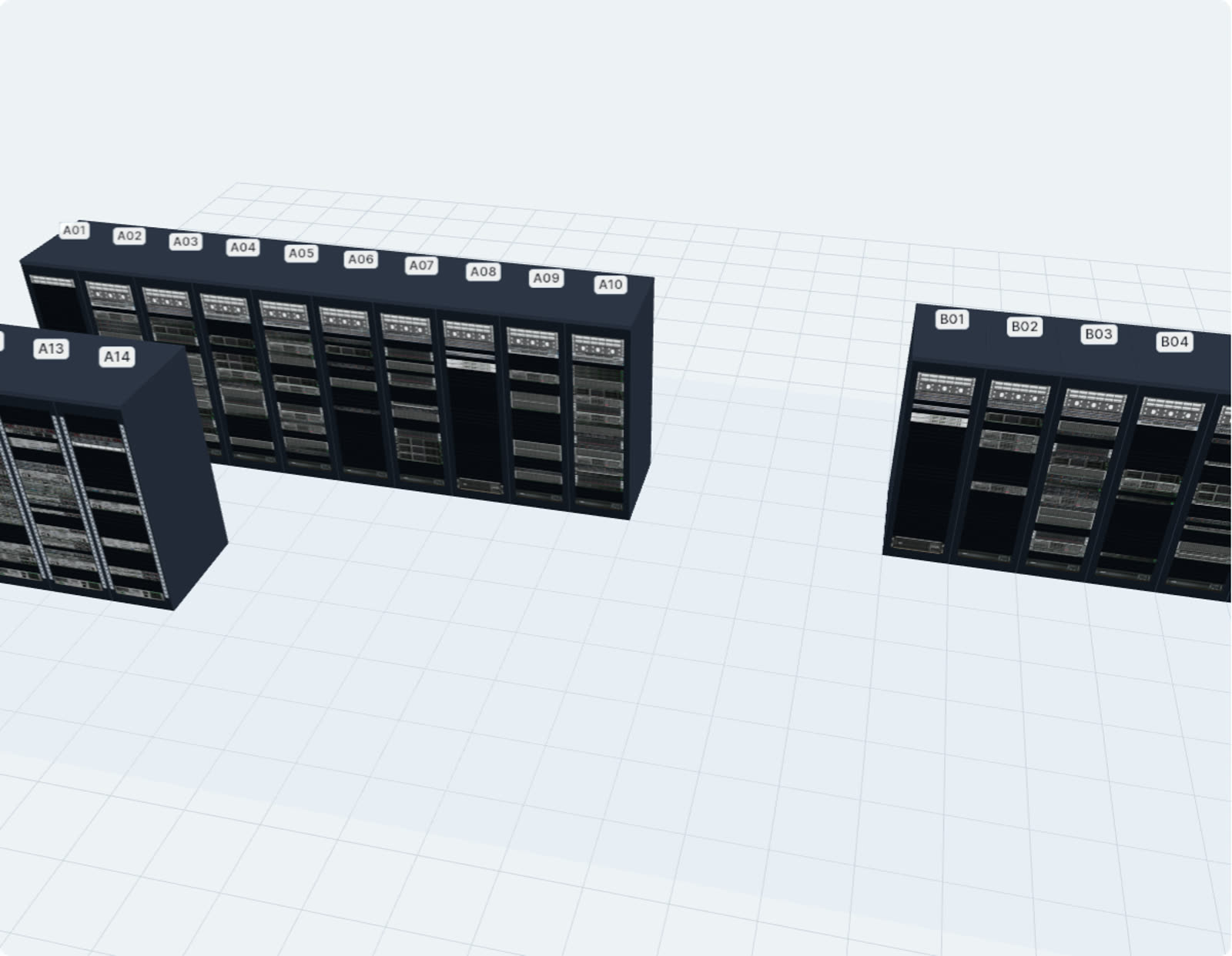
The whole site, compared in 3D.

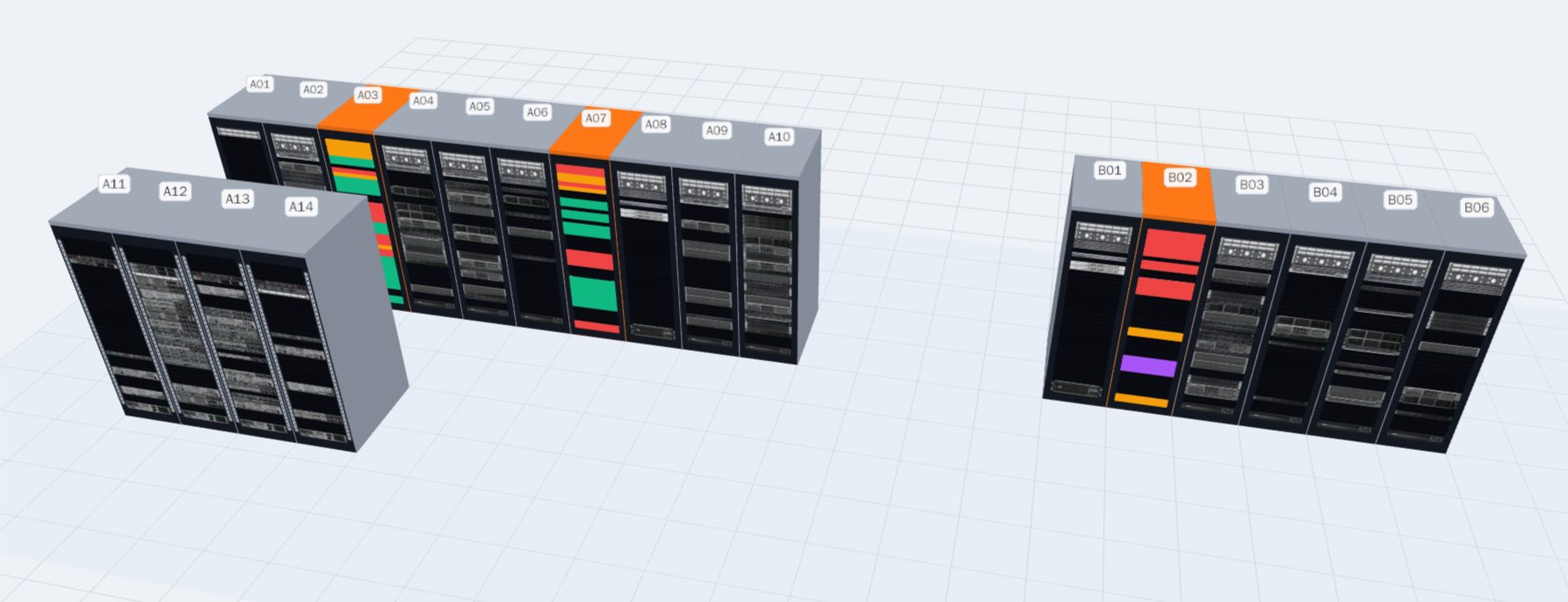
Every surveyed rack takes the color of its survey, every device the color of its comparison with your inventory: matching, discrepancy, not seen, missing. The whole room at a glance, with no table to read.

3D room · Demo Datacenter Paris · photo survey
3D room of the demo bench in photo survey mode: the surveyed racks A03, A07 and B02 have their devices colored according to the comparison
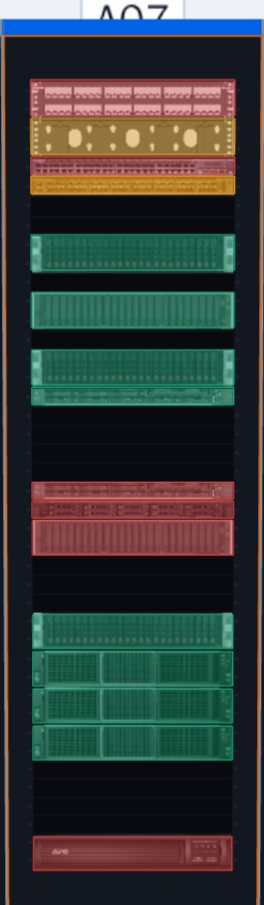
Rack A07 seen from the front in the 3D room: matching devices in green, discrepancies in orange, not seen in red
Rack A07
  • Matching
  • Discrepancy
  • In the inventory, not seen
  • Missing from the inventory
  • Rack with discrepancies

Estate audit

Know what to survey, and in what order.

Never surveyed, changed since, old survey, pending discrepancies: every rack has its status, and the visit plan builds itself.

estate audit · your inventory
49 racks to surveyout of 54 · demo bench

Survey, plan, share

Survey the site, share the actual state.

Upload all the photos of a site at once: each photo is matched to its rack. Reserve U for upcoming installations, then export the state of the racks to PDF, PowerPoint or Visio.

site · survey, reserve, export

Site surveyall photos in one go, each matched to its rack

  1. A03
  2. A07
  3. B02

U20–U21 reservedupcoming installation

Export the actual statethis rack, or the whole site in one click

  • PDF · Site reportsummary, photo and discrepancies of each rack
  • PowerPoint · Presentationone slide per rack, editable shapes
  • Visio · Elevationfront and rear faces, reserved U in orange

An accurate inventory, without spending your days on it.

The rack survey remains the blind spot of inventories: site visits, paper, re-keying. Here is the same survey with RackIntelligence, from the field to your inventory, without anything leaving your network.

Without RackIntelligence Site visit to surveyPaper survey, U by URe-keying into the toolReturn to site to complete
Your network · your servers

The technicianone photo per rack

RackIntelligence server on your premises · in containers Photo received

Your inventoryrack A07

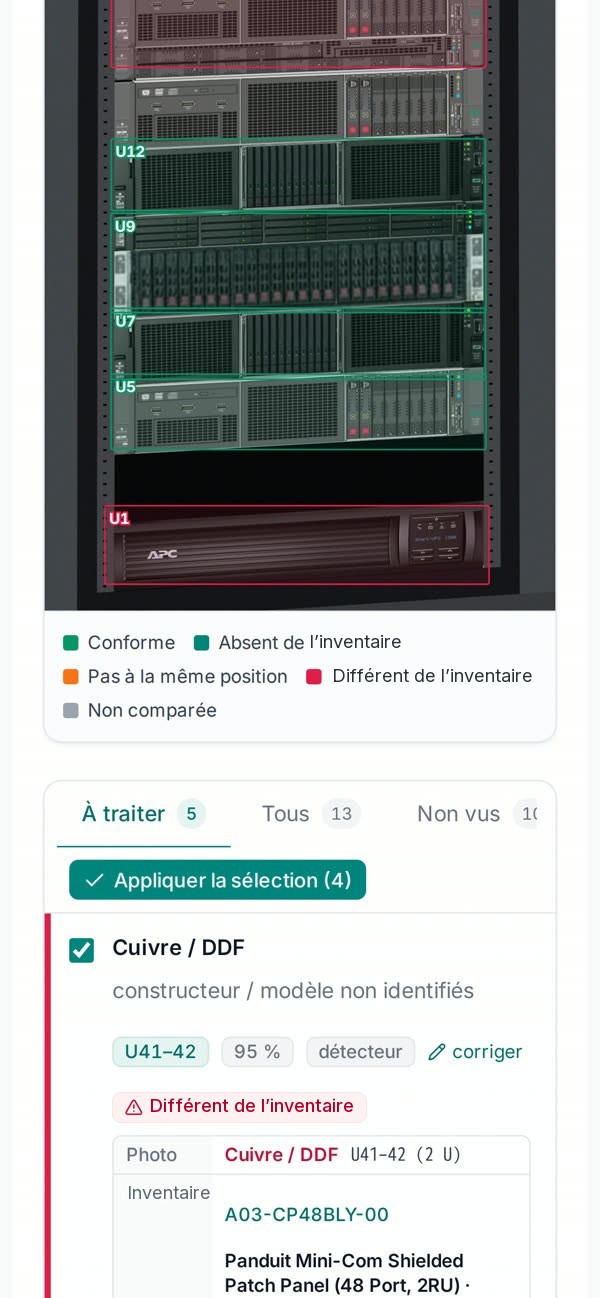
  • U39Panduit CMPH2discrepancyresolved
  • U37Arista DCS-7050CX3discrepancyresolved
  • U33Supermicro SYS-2029TPmatching

approved by a person · logged

Documents readyspace reserved, elevation up to date

Internetnothing leaves
  • Fewer site visitsone photo per rack is enough
  • No more re-keyingapproved discrepancies are written automatically
  • Fewer failed interventionsthe right rack, the reserved space
  • Data on your premisessigned releases, accounts and roles

Why RackIntelligenceData securityConnected to your inventory tool through our API, adapted on request.

The engine

It reads the rack like a technician.

Every device is located on the photo, sorted into its family and given a confidence level. The engine runs on your servers: photos do not leave.

Reading the photo…
0devices
0families
—average confidence

    Public demo photos; boxes, families and confidence scores are those returned by the engine, as displayed by the platform.

    On-premises AI that learns from your corrections.

    The engine runs on your servers. Every discrepancy your teams approve or correct becomes material for the next model, and a new model goes into service only after proving it does better.

    Actual survey from the demo bench (rack A07): boxes, families and confidence scores returned by the engine. The decision in step 3 is an example. On-premises AI in detail.

    No photo leaves

    Analysis, comparison and approval take place on your network, in containers, even without an internet connection.

    Every correction counts

    Approved corrections are kept and used to train the model on your equipment, your racks, your rooms.

    Nothing degrades silently

    Training runs on a graphics card, on your premises or by our team; the new model is activated only after the non-regression check.

    Inventory vs field

    The field, against your inventory, U by U.

    Connected to your inventory tool through our API, with a connector adapted on request: the platform recognizes the rack, matches each device seen on the photo against your reference inventory, and lists the discrepancies: different, missing, not seen.

    1Rack recognized 2U-by-U matching 3Discrepancies to handle
    Field · front photo
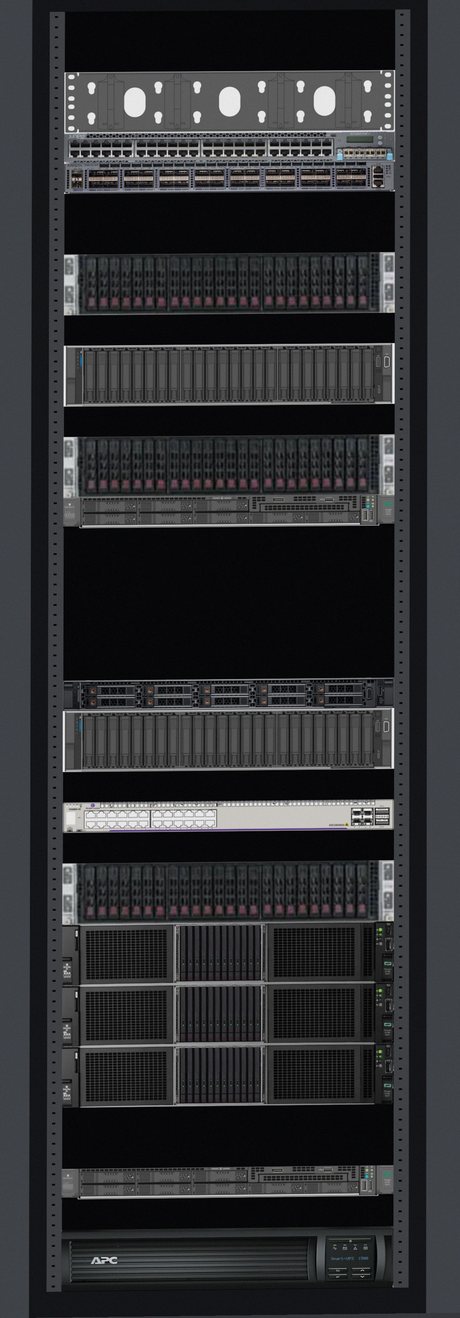
    Front photo of rack A07 (demo data), devices boxed as they are read
    Your inventory · rack

    Which rack is on the photo?

      To handle 0

      In the platform: correct the inventory or ignore, discrepancy by discrepancy.

      To check on site 0
      Matching 0
      ProposalApproval 1Approval 2Written to the inventory
      Actual survey from the test bench (demo rack and inventory); nothing is written to your inventory without approval, in two levels if you wish.Open a survey

      3D room

      The whole room, in place, in 3D.

      Racks laid out on the room plan, with their actual devices, front and rear faces, read from your inventory. Walk around, stand in front of a rack, start its survey.

      Rotate, zoom, stand in front

      A double-click brings the camera in front of the rack; racks in the way become transparent.

      Read from the inventory, not drawn by hand

      U positions, front and rear faces, model images: everything comes from the inventory.

      Start a survey from the room

      Right-click a rack: analyze a photo, compare with the last survey, view its devices or its elevation.

      The whole estate, at a glance

      Every rack takes the color of its survey.

      In “Photo survey” mode, the whole room becomes an audit map: what has discrepancies, what has never been surveyed, what is up to date. No table to read.

        Know which racks to survey, and in what order
        “Photo survey” mode · Demo Datacenter Paris

        Audit campaigns

        Know which racks to survey, and in what order.

        The entire estate, rack by rack

        • Every rack in your inventory classified: never surveyed, changed since, old survey, pending discrepancies, up to date.
        • A visit plan by priority, then by site, ready to share with the field team.
        • Coverage and match rate tracked by site, over the chosen period.
        Open the audit

        The equipment the platform recognizes

        Each detection carries its family, its position and its confidence level.

        Unbranded 3D illustrations. Hover over a card: front view, as the photo shows it to the engine.

        From the field to the reference inventory

        The technician photographs the rack with a phone. The engineer approves the discrepancies at the office, in the platform connected to your inventory, with the photo next to each decision.

        Sign in to the platform

        Stay in touch

        New releases, newly recognized equipment, articles: an email when there is something new, nothing else.