Why RackIntelligence
An accurate inventory, without spending your days on it
Rack surveys remain the blind spot of inventories: paper, re-keying, omissions. RackIntelligence turns them into a photo, a check and an approval, on your servers.
Contents
A photo instead of a manual survey
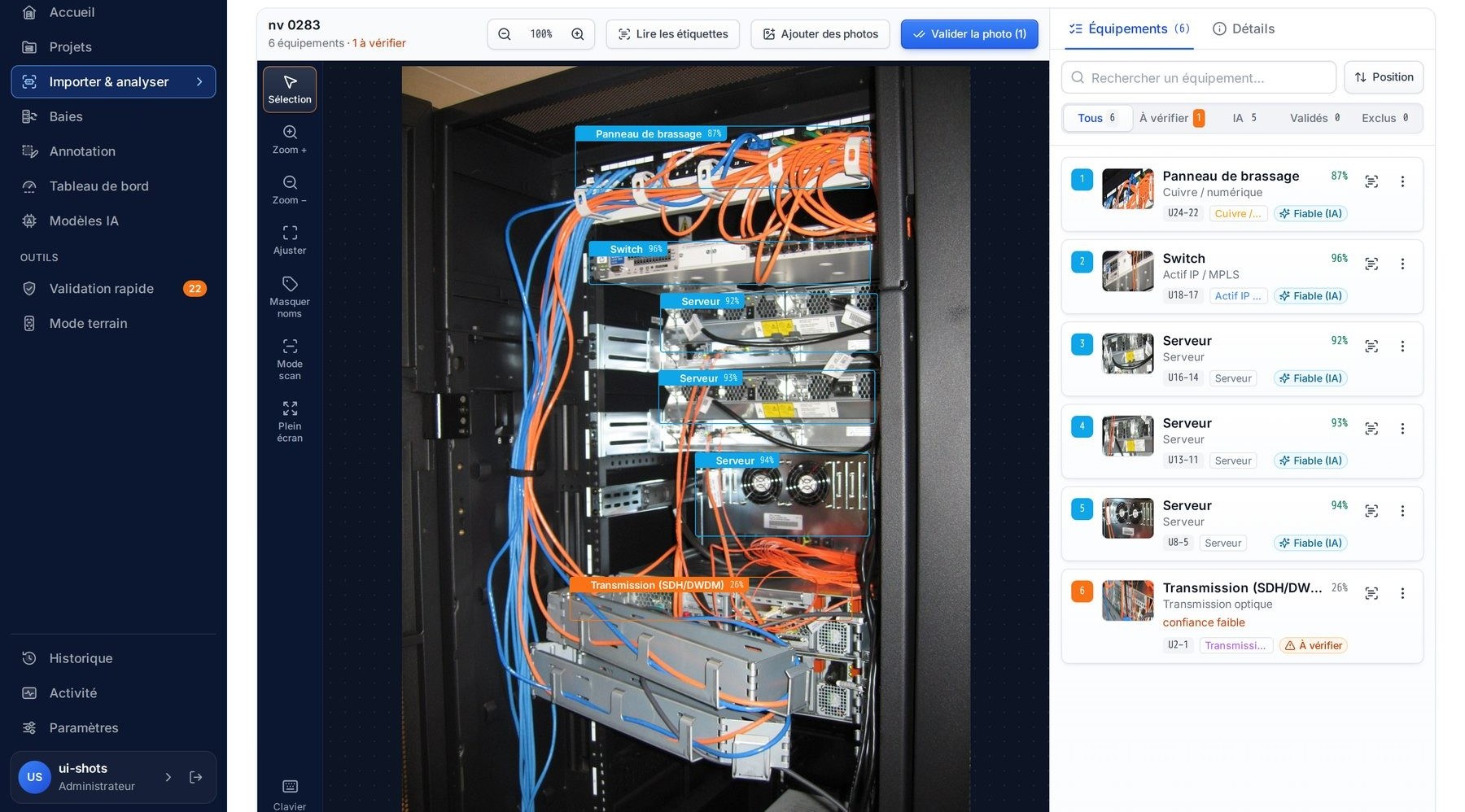
Surveying a rack by hand means noting each device U by U, going back to the office, re-keying, then having it checked. With RackIntelligence, the technician takes a photo; the engine identifies the devices, places them in U and compares them with the inventory. All that remains is to approve the discrepancies.
Manual survey
What most teams go through today
- Note each device on paper, U by U, in front of the rack
- Take photos “just in case”
- At the office, sort the photos and reread the notes
- Re-key line by line into the inventory tool
- Have a colleague check it
- Go back on site for whatever is missing or unreadable
Result: an inventory already out of date the next day.
With RackIntelligence
The same survey, with the photo as evidence
- Photograph the rack, from a phone or by importing the photos
- Read the result in less than a minute: each device, its family, its U position and the discrepancy with the inventory
- Approve or correct the discrepancies: writing to the inventory is recorded (who, when, which rack)
Result: the inventory is accurate the same day, and the photo stays attached to the survey.
What you save
The gain is not only in survey time. It shows at every step where information used to be copied, checked twice or wrong at the worst moment.
Travelreturn visits
An incomplete or unreadable survey means coming back.
The technician sees the result before leaving the room: if an area is missing, they retake a photo on the spot.
Re-keyingpaper → tool
Notes are copied line by line, typos included.
Approved discrepancies are written to your inventory tool, with no copy-paste or spreadsheet.
Checkingdouble verification
A colleague compares the spreadsheet with the rack, or with photos.
The U-by-U comparison is done for you; each discrepancy comes with its reason and the photo alongside.
Interventionsfield teams
The team discovers on site a full rack or a missing device.
The inventory is accurate and reserved U are visible to all teams before they set off.
Your gain, with your figures
Enter your own values: the calculation runs in your browser and nothing is sent.
To estimate the time with RackIntelligence, count taking the photo, the analysis (less than a minute per photo on our bench, a server without a graphics card; up to two minutes if label reading is requested) and reviewing the discrepancies.
Your data stays with you
RackIntelligence is installed on your servers. Your rack photos and your inventory do not leave your network.
- On your serversInstalled in containers, on your network.
- On-site analysisNo photo or inventory data sent outside.
- Signed releasesEach release is verified at installation.
- Accounts and rolesEveryone can only do what their role allows.
- Human approval, recordedEvery write is approved by a person and logged.
- No online subscriptionA license installed on your premises, verified by every component.
Details are on the Data security page and in the Trust center.
An inventory that matches the field
Device missing from the inventory, moved, different or gone: each discrepancy is spotted, explained, then corrected in one click. Audit campaigns show which racks to survey first.
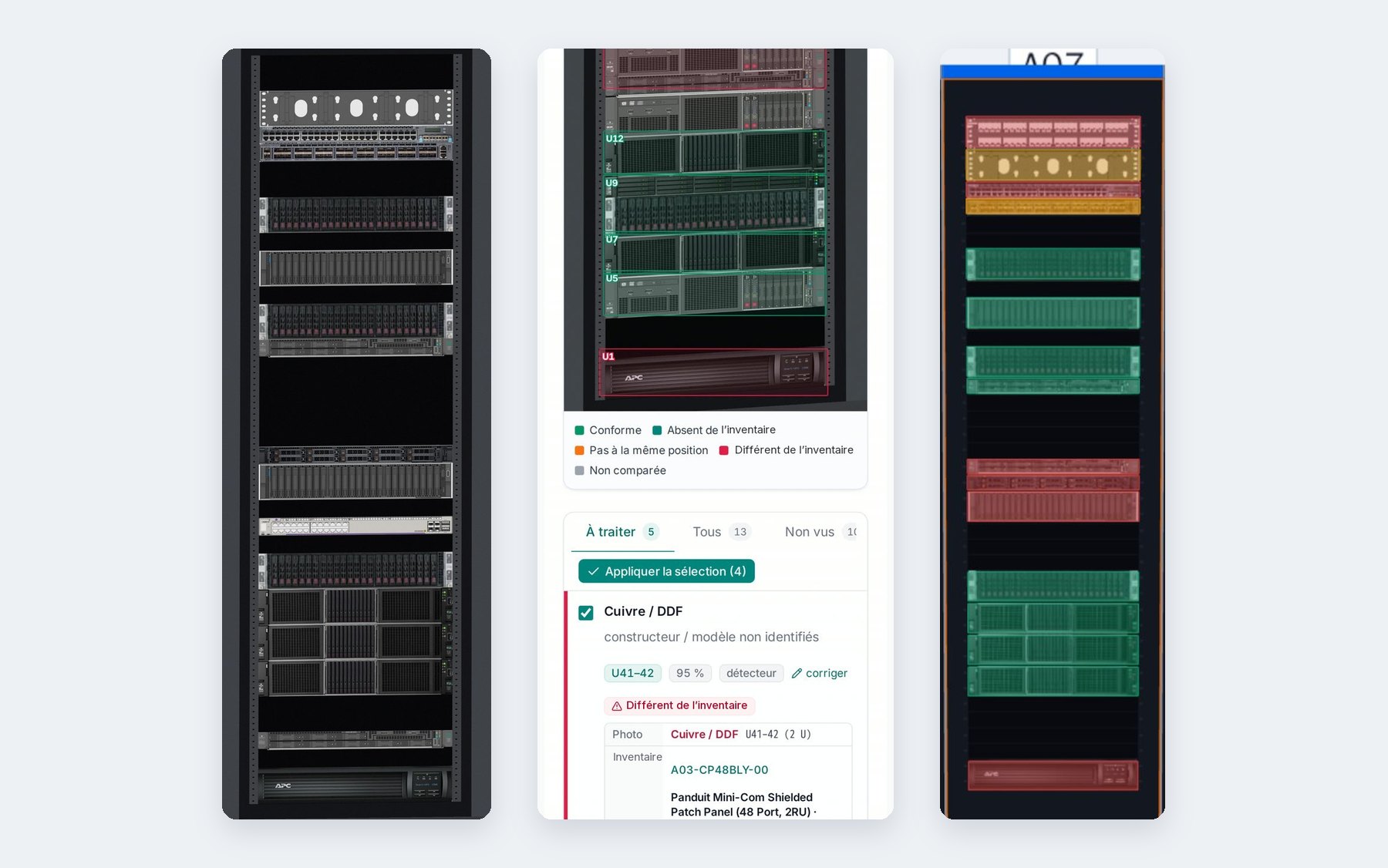
- Detect: family, manufacturer and model when readable, U position, front or rear face.
- Compare: photo and inventory side by side, U by U, with the reason for each discrepancy.
- Update: add, correct or keep the inventory as is, approved at one or two levels.
Your inventory tool is connected through our API, with a connector adapted on request.
Reserve U
Find the rack that has the space, power and fiber ports needed, then reserve the U: the reservation is visible to all teams. Planning in detail.
The actual state, ready to share
Documents generated from the inventory as read at the moment of the click, for one rack or a whole site, with no manual layout.
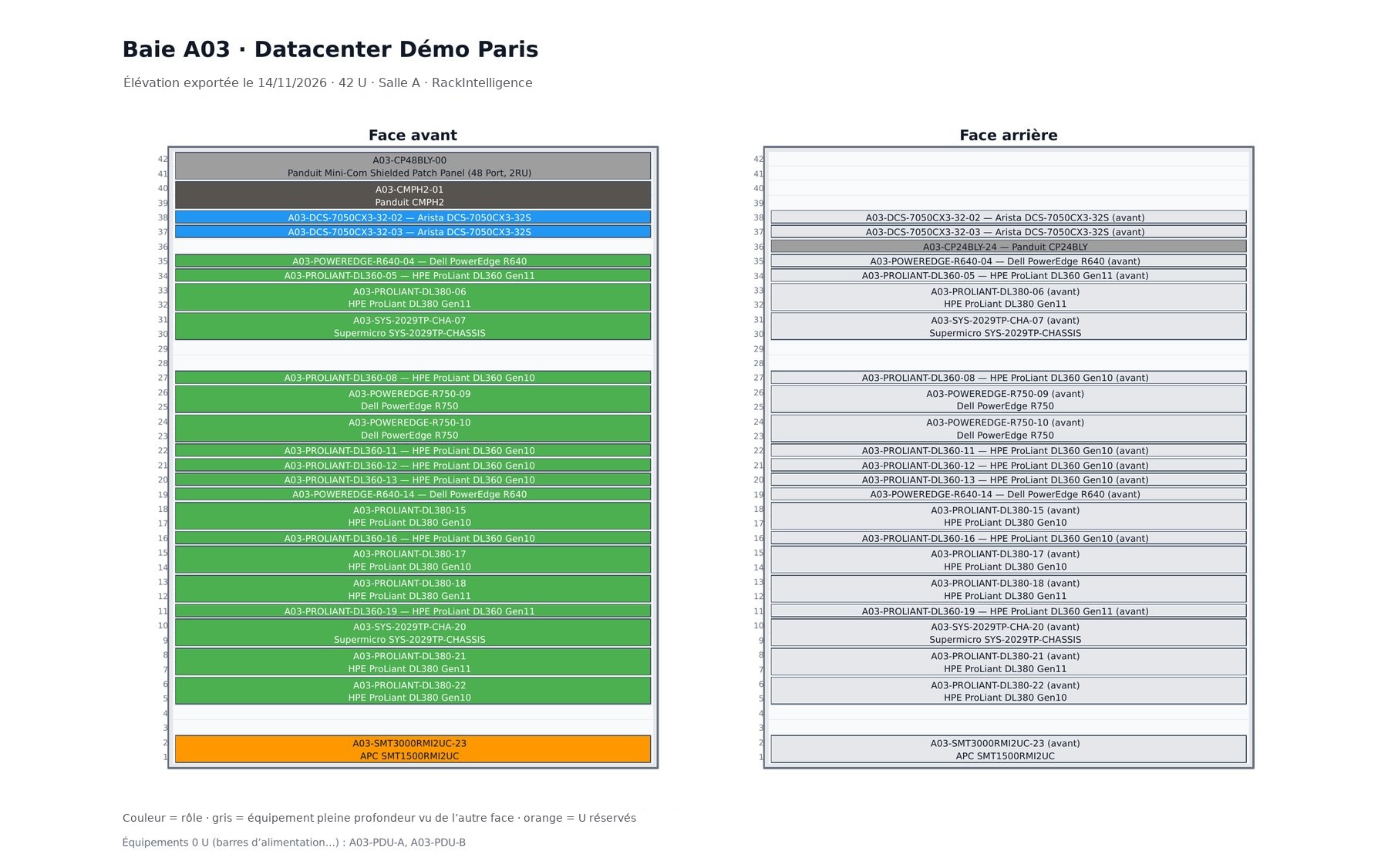
- PDF: site report, with summary, photo and discrepancies for each rack.
- PowerPoint: one slide per rack.
- Visio: front and rear face elevation of each rack.